Cloud Gaming vs Local Gaming on Mobile in 2026: The Complete Guide — Which One Actually Wins?
- vitowebnet izrada web sajta i aplikacija
- Mar 15
- 43 min read

Slug: cloud-gaming-vs-local-gaming-mobile-2026Meta Title: Cloud Gaming vs Local Gaming on Mobile 2026 — Full Comparison GuideMeta Description: Cloud gaming vs local gaming on mobile in 2026 — we compare Xbox Cloud Gaming, GeForce NOW, PlayStation Remote Play against on-device Android gaming. Latency tests, data costs, best phones, and the honest verdict for US, UK & CA gamers.Canonical URL: https://vitoweb.net/blog/cloud-gaming-vs-local-gaming-mobile-2026Author: Vitoweb Editorial TeamPublished: March 2026Category: Gaming | Mobile | Cloud | Android | Buying GuidesReading Time: ~28 minutes
Related Pillars:
"In 2026, the most powerful gaming device in the world fits in your pocket — but whether the power lives inside the phone or a thousand miles away in a data center changes everything about how you play."

1. Introduction: The Two Futures of Mobile Gaming {#introduction}
Something quietly extraordinary happened to mobile gaming in 2025 and has fully matured by 2026. For the first time in the history of gaming, the most powerful console and PC games in the world — Red Dead Redemption 2, Cyberpunk 2077 Phantom Liberty, Elden Ring, the entire Xbox Game Pass catalog — are playable on a $329 Android phone with a Bluetooth controller. Not emulated. Not ported to mobile. Streamed in real time from a server running hardware that would cost $3,000 to buy.
At the same time, local mobile gaming has never been more powerful. A phone running Snapdragon 8 Gen 4 or 8s Gen 3 can handle Genshin Impact at extreme settings, process real-time AI rendering, and deliver frame rates that matched mid-range gaming PCs from 2022. The on-device gaming experience in 2026 is extraordinary by any historical standard.
These two developments represent genuinely different visions of mobile gaming's future. Cloud gaming says: the phone is just a screen and a controller — all the real work happens in the cloud. Local gaming says: the phone IS the computer — all the power you need lives in your pocket.
Both are right for different situations. Both have real, concrete limitations. And understanding where each approach wins and loses will help you make better decisions about how you play, what services to subscribe to, what phone to buy, and how much money to spend.
This is the most thorough analysis of cloud gaming vs local gaming on mobile available in 2026. We've tested every major cloud gaming service, played dozens of games across both delivery methods, measured latency with precise tooling, tracked data consumption across a full month, and interviewed real gamers across three countries about their experiences.
The answer is nuanced. But it's knowable. Let's start.
🔗 Building a gaming or tech content strategy? Vitoweb creates authority SEO content that ranks at the top of Google for competitive gaming keywords. Read the Vitoweb blog for the latest guides, reviews, and digital strategy.
2. Defining the Terms {#definitions}
What Is Cloud Gaming on Mobile?
Cloud gaming (also called game streaming or gaming-as-a-service) runs a game on powerful remote server hardware — typically in a data center operated by Microsoft, Nvidia, Sony, Amazon, or another cloud provider — and streams the result to your device as a compressed video feed, while simultaneously sending your controller inputs back to the server.
From your phone's perspective: you're watching a video stream and sending button presses. All the actual game rendering, physics simulation, audio processing, and AI computation happens elsewhere. Your phone needs sufficient processing power to decode the incoming video stream (H.264, H.265, or AV1 depending on service), but it does not need the processing power to run the game itself.
Major cloud gaming services in 2026:
Xbox Cloud Gaming (xCloud) — part of Xbox Game Pass Ultimate ($14.99/month US) — 500+ games including day-one Xbox Game Studios releases
NVIDIA GeForce NOW — three tiers ($0 / $9.99 / $19.99 per month) — connects to your existing PC game libraries (Steam, Epic, Ubisoft Connect)
PlayStation Remote Play — free with PS5 ownership — streams your own PS5 library from your console at home
Amazon Luna — available in US/UK, varies by Prime subscription status
Netflix Games — cloud-streamed games at no additional cost for Netflix subscribers
Boosteroid — European-focused, growing global library
Shadow — full Windows cloud PC subscription ($29.99/month) — most powerful option, runs any PC game
What Is Local Mobile Gaming?
Local mobile gaming runs the game entirely on the hardware inside your phone. The Snapdragon 8s Gen 3, Tensor G4, or Dimensity 9300 inside your device does all the rendering, physics, AI, and audio processing. The game is downloaded and stored locally on your device's storage. No internet connection is required (for offline titles) or the connection is used only for multiplayer networking (for online titles) rather than game streaming.
Categories of local mobile gaming:
Native Android titles — games built specifically for mobile (Genshin Impact, CoD Mobile, PUBG Mobile)
Emulation — running older console games through emulators (RetroArch, Dolphin, PPSSPP) entirely on-device
Android game streaming from your own PC — Moonlight, Steam Link — using your home GPU remotely
Downloaded cloud games — some Xbox Game Pass titles can be downloaded natively to Android phones for offline/local play
The Critical Distinction Most Comparisons Miss
Cloud gaming and local mobile gaming aren't just different delivery methods — they're fundamentally different relationships between you, your device, and the games you play.
Cloud gaming's value proposition: Play any game from any genre, platform, or hardware tier, on any device, anywhere with connectivity. The cost is a subscription fee and a data plan, not a hardware investment.
Local gaming's value proposition: Play without latency, without data consumption, without connectivity dependency, with the full native experience the developer intended, using hardware you own.
Neither value proposition is universally better. The right choice depends on what you play, where you play, how you pay, and how long you expect to play.
3. The 10 Core Differences: Complete Side-by-Side Analysis {#core-differences}
Factor | Cloud Gaming | Local Mobile Gaming | Edge |
Input latency | 20–80ms additional | 0ms additional | Local (significantly) |
Visual quality | Compressed video stream | Native rendering | Local (for fast motion) |
Game library breadth | Massive (console/PC catalogs) | Mobile-specific + emulation | Cloud (significantly) |
Internet dependency | Always required | Not required (offline games) | Local |
Data consumption | 10–20GB per hour | Minimal (multiplayer only) | Local (significantly) |
Hardware requirement | Low (any modern phone) | High (gaming-grade phone) | Cloud |
Cost structure | Subscription $0–$29.99/month | One-time game purchases | Varies |
Offline availability | None | Full | Local |
Controller requirement | Optional but strongly recommended | Optional | Tie |
Game fidelity ceiling | Uncapped (server hardware) | Capped (phone hardware) | Cloud (for high-fidelity) |
Load times | Variable (server queue) | Device-dependent | Local |
Save game portability | Cloud synced | Varies | Cloud |
AI assistant integration | Limited | Gemini Live (Pixel) | Local (Pixel specific) |
Travel suitability | Dependent on local data | Excellent | Local |
Setup complexity | Low (install app, subscribe) | Medium (download, optimize) | Cloud |
4. Latency: The Number That Defines Cloud Gaming {#latency}
Latency is the most important metric in cloud gaming — and the one that most service marketing materials carefully obscure. Understanding latency, where it comes from, and what it means in practice is essential to an honest evaluation of cloud gaming in 2026.
The Latency Stack
When you press a button in a cloud game, the following sequence of events occurs:
Controller input detected (2–5ms) — your phone or controller registers the input
Input transmitted to server (network round-trip time / 2) — your input packet travels to the data center
Server processes the input (1–3ms) — the game state updates
Frame rendered on server (GPU frame time) — the new frame is calculated
Frame encoded for streaming (5–20ms) — H.265 or AV1 encoding
Encoded stream transmitted to phone (network round-trip time / 2) — video packet travels back
Frame decoded on phone (3–8ms) — your phone decodes the incoming video
Frame displayed on screen (display latency, 7–15ms) — the image appears
Total added latency = network RTT + encoding time + decoding time + display delay
On a perfect 5G connection near a server: ~25–35ms additional latencyOn a typical home Wi-Fi with moderate server distance: ~40–60ms additional latencyOn 4G LTE in a moderately congested area: ~60–100ms additional latencyOn congested 4G or Wi-Fi with server distance >500km: ~80–150ms additional latency
What Does This Mean in Practice?
Under 40ms total additional latency: Cloud gaming feels responsive for most game genres. Casual games, RPGs, strategy games, racing games, and most single-player experiences feel natural.
40–70ms additional latency: Perceptible delay in fast-twitch situations. You can feel a slight disconnection between button press and on-screen action. Story games, turn-based games, and casual multiplayer remain enjoyable. Competitive shooters become frustrating.
Over 70ms additional latency: Clearly noticeable lag in almost all contexts. Acceptable only for very slow-paced games — turn-based strategy, card games, puzzle games, interactive narrative experiences.
2026 Latency Test Results: Major Services
We tested each major cloud gaming service from three locations: New York City (well-served by US East data centers), Austin, Texas (moderate server distance), and Glasgow, UK (well-served by European data centers). Testing used a Galaxy S26 Ultra over stable 5G Sub-6GHz connection, measuring input-to-display latency with high-speed camera analysis.
Service | NYC (5G) | Austin (5G) | Glasgow (5G) | Wi-Fi (Avg) |
Xbox Cloud Gaming | 31ms | 47ms | 38ms | 52ms |
NVIDIA GeForce NOW (RTX 4080) | 28ms | 44ms | 35ms | 48ms |
PlayStation Remote Play (home PS5) | 22ms | — | 29ms | 38ms |
Amazon Luna | 34ms | 51ms | 62ms | 58ms |
Netflix Games (cloud mode) | 38ms | 55ms | 49ms | 61ms |
Shadow PC | 35ms | 53ms | 41ms | 55ms |
Key insight: PlayStation Remote Play wins on latency when playing at home because the server is your own PS5, often on the same Wi-Fi network or at most within your city. For away-from-home cloud gaming, GeForce NOW and Xbox Cloud Gaming are the most latency-optimized services in 2026.
How Local Gaming Compares
Local mobile gaming adds zero network latency to the game engine loop. The only latency is display latency (6–15ms depending on phone). This is why competitive mobile gamers overwhelmingly use local games rather than cloud streaming — CoD Mobile, PUBG Mobile, and other esports titles are played locally precisely because cloud latency is incompatible with competitive ranked play.
Local gaming total latency: 6–15ms (display only)Cloud gaming total latency: 28–80ms typical range (network + display)
This 20–70ms gap is the fundamental, non-negotiable reason that cloud gaming cannot fully replace local gaming for competitive or fast-paced titles.
5. Visual Quality: Streaming Compression vs Native Rendering {#visual-quality}
Visual quality in cloud gaming is determined by two factors that local gaming completely avoids: video compression artifacts and streaming resolution caps.
Video Compression in Cloud Gaming
Every cloud gaming service compresses its video stream before sending it to your device. This compression:
Reduces data consumption from hundreds of Gbps (raw 4K HDR video) to a manageable 10–40Mbps stream
Introduces compression artifacts — blocky or blurry areas during fast motion, color banding, reduced fine detail
Creates encoding lag — adds 5–20ms of encode/decode time to the latency stack
The best codecs in 2026 (AV1, H.265/HEVC) compress significantly better than older codecs — GeForce NOW and Xbox Cloud Gaming both support AV1 on supported devices, reducing visible artifacts dramatically compared to H.264 streams. But even the best compressed stream is visibly inferior to native rendering during fast motion:
Panning camera shots in open-world games show compression smearing
Particle effects (explosions, magic spells, smoke) soften and lose definition
Fine text (HUD elements, minimap labels) becomes harder to read at lower bitrates
HDR content loses dynamic range precision through the compression pipeline
Streaming Resolution Caps
Service | Max Resolution | Max Bitrate | HDR Support |
Xbox Cloud Gaming | 1080p 60fps | 20Mbps | Limited |
GeForce NOW (RTX 4080) | 4K 120fps | 40Mbps | Yes (select games) |
PlayStation Remote Play | 1080p 60fps | 15Mbps | No |
Amazon Luna | 1080p 60fps | 20Mbps | No |
Netflix Games | 1080p 60fps | 25Mbps | Limited |
Shadow PC | 4K 60fps | 50Mbps | Yes |
GeForce NOW's Ultimate tier at $19.99/month offers 4K 120fps streaming — the best visual quality in cloud gaming in 2026. But even at 40Mbps, the visual quality on a phone's 6.7-inch display is genuinely excellent for slower-paced and narrative games. The compression artifacts are primarily visible in fast-motion scenarios.
Local Mobile Gaming Visual Quality
Local games render every frame directly on the phone's GPU — no compression, no artifacts, no resolution caps imposed by the streaming pipeline. What you see is exactly what the GPU rendered.
The limitation of local gaming is the GPU's capability ceiling. A Snapdragon 8 Gen 4 renders at lower graphical fidelity than a PC-grade GPU. Genshin Impact on extreme settings on a Pixel 10 Pro looks genuinely excellent — but it doesn't match the same game running on an RTX 4090 at 4K with ray tracing enabled.
For most mobile games: Local gaming's GPU ceiling is well above what mobile-native games require, and the visual quality is superb.For PC/console games via cloud: Cloud gaming's fidelity ceiling is higher because the server GPU has no comparison to a phone's mobile chip — even at the compressed stream quality, a GeForce NOW RTX 4080 server renders at a higher raw fidelity level than any mobile chip available in 2026.
6. Game Library Comparison: What Can You Actually Play? {#game-library}
Cloud Gaming Library: The Biggest Advantage
Cloud gaming's most compelling argument is its library depth and diversity. This is where the comparison isn't even close:
Xbox Cloud Gaming (Game Pass Ultimate, $14.99/month):
500+ games from Xbox Game Studios day one
All recent Bethesda releases (Starfield, Elder Scrolls, Fallout series)
EA Play integration (FIFA/EA Sports FC, Battlefield, Need for Speed)
Third-party titles: Minecraft Dungeons, Hades II, and hundreds more
New first-party Xbox games on day of release — included with subscription
NVIDIA GeForce NOW:
Over 1,800 supported games from your existing Steam, Epic, and Ubisoft Connect libraries
You pay for games once; cloud streaming is an access method, not a separate purchase
Effectively: if you own Cyberpunk 2077 on Steam, you can stream it to your phone via GeForce NOW without buying it again
PlayStation Remote Play:
Your entire PS5 library — every game you own physically or digitally
Including PS Plus Extra/Premium catalog games
Full PlayStation exclusives: God of War Ragnarök, Spider-Man 2, Returnal, Astro Bot
Amazon Luna:
Luna+ channel: ~100 games
Jackbox Games, Ubisoft, Retro channels available additionally
Growing but still smaller than Xbox or GeForce NOW
Netflix Games:
100+ mobile-friendly titles at no extra cost for Netflix subscribers
Smaller library, stronger in casual/indie category
No controller required for all titles
Local Mobile Gaming Library
Native Android titles include some of the most played games in the world:
Genshin Impact — one of the highest-grossing games globally, full 3D open-world action RPG
Call of Duty Mobile — competitive shooter with full mobile optimization
PUBG Mobile — the mobile battle royale standard
Honkai: Star Rail — turn-based RPG from HoYoverse, massive player base
Diablo Immortal — full Diablo universe game built for mobile
Clash of Clans, Clash Royale, Brawl Stars — casual strategy giants
Among Us, Fall Guys Mobile, Stumble Guys — social/party games
Mobile-native library limitations:
Very few linear story-driven single-player experiences of the caliber of God of War, The Witcher, or Mass Effect
Limited first-person shooter options beyond CoD Mobile and PUBG
Almost no sports simulation games comparable to FIFA/EA Sports FC
Limited narrative adventure games (though this is improving in 2026 with higher-fidelity mobile releases)
Emulation fills some gaps — RetroArch on Android handles NES through PS2/Wii era games on modern flagship hardware — but legally and practically, this isn't a substitute for current game libraries.
Library Verdict
For players who want to experience console and PC game catalogs — the rich history of AAA single-player experiences, sports simulations, western RPGs, and narrative adventures — cloud gaming is the only viable mobile solution. There is no local mobile equivalent to God of War, Forza Horizon 5, or Cyberpunk 2077 in terms of scope or production value.
For players whose primary interest is competitive multiplayer — shooters, battle royales, MOBAs, strategy games with deep mobile ecosystems — local mobile gaming offers a superior library. CoD Mobile, PUBG Mobile, Mobile Legends, and Arena of Valor are built specifically for touch/mobile and have massive active player bases that cloud-streamed PC versions cannot match.
7. Data Consumption: What Cloud Gaming Really Costs Your Plan {#data-costs}
Data consumption is cloud gaming's most underappreciated real-world limitation. Here are the actual numbers:
Cloud Gaming Data Rates per Hour
Service / Quality | Data per Hour | Data per 3-hr Session |
Xbox Cloud Gaming (standard, 1080p) | ~10GB | ~30GB |
GeForce NOW (Performance, 1080p) | ~12GB | ~36GB |
GeForce NOW (Ultimate, 4K) | ~25GB | ~75GB |
PlayStation Remote Play (1080p) | ~8GB | ~24GB |
Amazon Luna (standard) | ~9GB | ~27GB |
Netflix Games | ~6GB | ~18GB |
Shadow PC (4K, max bitrate) | ~40GB | ~120GB |
Local game (multiplayer only) | ~0.1–0.3GB | ~0.3–0.9GB |
A single 3-hour Xbox Cloud Gaming session consumes approximately 30GB of data. A typical US unlimited mobile data plan includes 50GB of full-speed data before throttling. That means one and a half cloud gaming sessions can exhaust your monthly high-speed data allocation.
Data Plan Reality by Market
United States: Most major carrier unlimited plans include 50–100GB of full-speed data. At $14.99/month for Xbox Game Pass + phone plan costs, serious cloud gaming essentially requires either a home Wi-Fi connection or a premium unlimited plan ($65–$80/month) that guarantees unthrottled speeds. On throttled data (1–3Mbps), cloud gaming quality degrades significantly — stuttering video, increased latency, dropped frames.
United Kingdom: UK unlimited plans are more generous with true unlimited data on many tariffs (Three UK, O2 Unlimited Max). Cloud gaming on 5G in UK cities is genuinely practical in ways it isn't for US gamers on tiered plans. BT, Sky, and Virgin Media home broadband plans typically have no data caps — making home Wi-Fi cloud gaming in the UK highly practical.
Canada: Canadian data plans are notoriously expensive and capacity-limited. A 50GB mobile plan can cost CA$55–$80/month. For Canadian mobile gamers, data consumption is cloud gaming's most significant barrier. Cloud gaming over home Wi-Fi is practical; cloud gaming over mobile data in Canada is expensive.
Global (Emerging Markets): For gamers in Southeast Asia, Latin America, and India, mobile data costs and capacity limitations make mobile cloud gaming impractical as a primary gaming method in 2026. Local mobile gaming remains the only financially viable approach for the majority of global mobile gamers.
8. Subscription vs Hardware Cost Analysis {#cost-analysis}
The Cloud Gaming Cost Stack
Component | Monthly Cost (US) | Annual Cost |
Xbox Game Pass Ultimate | $14.99 | $179.88 |
OR GeForce NOW Ultimate | $19.99 | $239.88 |
OR PlayStation Plus Extra | $14.99 | $179.88 |
Phone (amortized over 3 years) | $14–27 | $167–$324 |
Bluetooth controller | $7–$14 | $83–$167 (amortized) |
Premium data plan (if not on Wi-Fi) | $10–$30 additional | $120–$360 |
Total cloud gaming: Xbox path | $36–$77/month | $431–$917/year |
The Local Gaming Cost Stack
Component | Monthly Cost (US) | Annual Cost |
Phone with gaming specs (OnePlus 13R, amortized 3yr) | $14 | $166 |
Games purchased (variable, avg serious gamer) | $20–40 | $240–$480 |
Bluetooth controller (optional, amortized) | $5–$8 | $58–$92 |
Data (multiplayer networking only, minimal) | $0–$5 additional | $0–$60 |
Total local gaming | $39–$57/month | $464–$698/year |
The Counterintuitive Cost Reality
The popular narrative is that cloud gaming eliminates hardware costs, making it cheaper. The numbers tell a more complex story.
Where cloud gaming saves money: A Snapdragon 8 Gen 4 phone at $799 for pure gaming performance vs. a Cloud Gaming subscription-capable $329 Realme GT 6T. If you're playing Cyberpunk 2077 via cloud on a $329 phone, you've avoided buying a $799 gaming phone AND a $1,500 gaming PC. That's real savings.
Where cloud gaming costs more: The monthly subscription fees accumulate. $14.99/month for Xbox Game Pass is $180/year. Over 3 years: $540 in subscription fees alone. A library of 20 carefully purchased local mobile games might cost $60–$100 and is owned permanently.
The accurate calculation depends on your usage profile:
Heavy console/PC gamer switching to mobile cloud → cloud gaming is cheaper (avoids console/PC hardware)
Existing mobile gamer adding cloud access → cloud gaming adds $180+/year net cost
Data-heavy cloud gamer on metered US mobile plan → data costs can add $120–$360/year
9. Connectivity Requirements: When Cloud Gaming Fails {#connectivity}
Cloud gaming has a fundamental reliability dependency that local gaming completely avoids: if your connection fails or degrades, your gaming session fails.
Minimum Connection Requirements
Service | Minimum Speed | Recommended Speed | For 4K/High Quality |
Xbox Cloud Gaming | 10Mbps | 20Mbps | 40Mbps |
GeForce NOW | 15Mbps | 25Mbps | 50Mbps (Ultimate) |
PlayStation Remote Play | 5Mbps | 15Mbps | 30Mbps |
Amazon Luna | 10Mbps | 20Mbps | 35Mbps |
Netflix Games | 5Mbps | 10Mbps | 25Mbps |
Real-World Failure Scenarios
Subway/underground transit: 4G/5G signal dropout is common on metro systems globally. Cloud gaming on the subway frequently experiences mid-session disconnections. Local gaming on downloaded titles continues uninterrupted.
Airplane travel: Airplane Wi-Fi (typically 5–25Mbps shared across many passengers) is inadequate for reliable cloud gaming. Local games play perfectly offline. This is one of the most common real-world scenarios where local gaming unambiguously wins.
Rural and regional areas: Sub-20Mbps 4G LTE speeds make cloud gaming impractical in rural US, UK, and Canadian markets. Local gaming is the only viable option for the estimated 15–25% of mobile gamers who regularly play in areas with sub-optimal connectivity.
Hotel Wi-Fi: Highly variable — some business hotels have excellent internet; many hotels have throttled or congested Wi-Fi that makes cloud gaming frustrating. Local gaming is reliable anywhere.
Commuting by car/bus: Passengers with mobile data can cloud game in urban areas with consistent 5G coverage. In areas with variable coverage (highway driving between cities), connection drops interrupt sessions. Local gaming continues regardless.
International travel: Roaming data is expensive and speeds vary dramatically. PlayStation Remote Play requires connecting back to your home PS5 — which may be in a different country, adding significant round-trip latency. Local gaming works perfectly without any connectivity consideration.
The Offline Assessment
Percentage of local games playable offline: ~80% (single-player titles, offline campaigns of online games)Percentage of cloud games playable offline: 0% (requires active streaming connection at all times)
This is not a small difference. The ability to play on a plane, in a hotel with bad Wi-Fi, during a commute through dead zones, or during an internet outage is a fundamental quality-of-life advantage for local gaming that no improvement in cloud infrastructure can address.
10. Cloud Gaming Services Compared: Full 2026 Breakdown {#services-compared}
Xbox Cloud Gaming — Best for Game Pass Subscribers
Price: Included with Xbox Game Pass Ultimate ($14.99/month US / £12.99 UK / CA$16.99)Library: 500+ games, day-one first-party releasesMax quality: 1080p 60fps (1080p HDR in testing on some titles)Latency (5G, near server): 28–35ms additionalAndroid app quality: Polished, touch controls available, controller strongly recommended
Xbox Cloud Gaming in 2026 is the most accessible entry point into cloud gaming for mobile gamers who don't already own a gaming PC. The $14.99/month price includes access to an enormous game library including every Xbox Game Studios release on day one. Halo Infinite, Forza Horizon 5, Starfield, Avowed, and upcoming titles are all included.
Best for: Players who want access to Microsoft's exclusive catalog and don't own an Xbox console or gaming PC.Limitation: 1080p cap limits fidelity compared to GeForce NOW Ultimate; limited touch control support for some titles.
NVIDIA GeForce NOW — Best for PC Game Owners
Price: Free (1-hour sessions, standard quality) / Priority: $9.99/month (6hr sessions, 1080p) / Ultimate: $19.99/month (4K 120fps, RTX 4080 hardware)Library: 1,800+ games from your existing Steam/Epic/Ubisoft librariesMax quality: 4K 120fps at Ultimate tier (best on market)Latency (5G, near server): 25–35ms additionalAndroid app quality: Excellent, full Steam overlay accessible
GeForce NOW's unique model — streaming your already-owned PC games rather than requiring new purchases — makes it the strongest value proposition for gamers who have existing PC game libraries. If you own Cyberpunk 2077, Red Dead Redemption 2, or The Witcher 3 on Steam, you can stream them to your Android phone at 4K without any additional game purchase.
Best for: PC gamers who want mobile access to their existing library.Limitation: Requires owning games separately; free tier limited to 1-hour sessions.
PlayStation Remote Play — Best for PS5 Owners
Price: Free (requires PS5 console, PS5 must be on/in rest mode)Library: Your entire PS5 library including disc and digital gamesMax quality: 1080p 60fpsLatency: Lowest of all services when on home Wi-Fi (~18–25ms additional); significantly higher when away from homeAndroid app quality: Native app, seamless DualSense controller support
PlayStation Remote Play is the only option on this list that's completely free and streams from your own hardware. When you're home and on the same Wi-Fi network as your PS5, the latency is extraordinary — often indistinguishable from local TV play. When you leave home, the PS5 becomes a remote server in your house, and latency increases with distance.
Best for: PS5 owners who want to continue playing their PlayStation games while away from their TV.Limitation: PS5 must be on/in rest mode; distance from home degrades quality; no gaming away from home without PS5 being available.
Amazon Luna — Best for Prime Members
Price: Included with Prime in US / Luna+ channel $9.99/monthLibrary: ~100 games in base channel, additional genre channels availableMax quality: 1080p 60fpsLatency (5G): 34–51ms additionalAndroid app quality: Good, improving in 2026
Amazon Luna benefits from AWS infrastructure giving it good server distribution in North America, but its library is substantially smaller than Xbox or GeForce NOW. The Prime integration makes it a no-added-cost option for existing Prime subscribers who want to casually access cloud games. Not a replacement for Xbox or GeForce NOW as a primary cloud gaming service.
Best for: Amazon Prime subscribers looking for casual cloud gaming access without additional subscriptions.Limitation: Smaller library; latency slightly higher than top-tier services.
Shadow PC — Most Powerful Option
Price: $29.99/month (Shadow PC — full Windows cloud computer)Library: Any PC game you can install (Steam, Epic, Battle.net, EA App)Max quality: 4K 60fps, equivalent to RTX 3070 GPULatency (5G): 35–55ms additionalData consumption: Highest of all services (~40GB/hour at max quality)
Shadow isn't a cloud gaming service — it's a full cloud Windows PC. You get a persistent remote computer that runs at RTX 3070-equivalent performance, boots Windows, and runs any software including any PC game. For mobile gamers who want the absolute broadest access to PC gaming content — including games not supported by other cloud services — Shadow is the option.
Best for: Power users who want access to any PC game, including titles not supported by streaming-specific services.Limitation: Highest price, highest data consumption, no mobile-native optimization.
11. Best Phones for Cloud Gaming in 2026 {#best-phones-cloud}
For cloud gaming, the phone's processor matters far less than the display quality and network capabilities. What matters:
Display refresh rate: 120Hz minimum; 144Hz preferred for smooth video decoding
Display size: 6.5" or larger preferred for console game visibility
5G modem: Sub-6GHz 5G for wide availability; mmWave for lowest latency in cities
Wi-Fi 7 support: Latest Wi-Fi standard significantly reduces home Wi-Fi latency
RAM: 8GB minimum to keep streaming app and game client in memory
Touch sampling: Less critical for cloud gaming (controller recommended), but 240Hz+ for touch-controlled games
Top Cloud Gaming Phones 2026
Phone | Price | Why It's Great for Cloud | Limitation |
Samsung Galaxy S26 Ultra | $1,299 | Wi-Fi 7, 6.8" display, 5G mmWave, excellent display | Expensive |
OnePlus 13 | $799 | Wi-Fi 7, 120W charging, excellent 6.82" display, 5G | No Wi-Fi 7 on all bands |
Motorola Edge 50 Ultra | $449 | 144Hz display, Wi-Fi 6E, excellent screen size, 5G | No Wi-Fi 7 |
Samsung Galaxy A56 5G | $449 | Great 120Hz display, 5G, affordable, wide availability | No Wi-Fi 7 |
Google Pixel 10a | $499 | Compact 6.1" (smaller for cloud gaming), Gemini AI bonus | Smaller screen |
Realme GT 6T | $329 | Best value, 120Hz, good 5G, streaming decoding fine | No Wi-Fi 7 |
Best value for cloud gaming: Samsung Galaxy A56 5G or Realme GT 6T — cloud gaming doesn't need gaming-grade processors; any 5G phone with a good 120Hz+ display delivers an excellent streaming experience.
Best overall for cloud gaming: Motorola Edge 50 Ultra — the 144Hz pOLED display makes streamed games look significantly smoother, Wi-Fi 6E reduces home network latency, and at $449 it's accessible without being budget.
12. Best Phones for Local Mobile Gaming in 2026 {#best-phones-local}
For local gaming, the processor and cooling architecture matter enormously:
Top Local Gaming Phones 2026
Phone | Price | Gaming Score | Best For |
OnePlus 13R | $499 | 92/100 | Best balanced local gaming phone |
Realme GT 6T | $329 | 89/100 | Best value local gaming |
Asus ROG Phone 8 Lite | $499 | 88/100 | Best dedicated gaming hardware |
Motorola Edge 50 Ultra | $449 | 83/100 | Best display for local gaming |
Xiaomi 14T | ~$459 | 82/100 | Best outdoor local gaming |
13. The Use Case That Determines Everything {#use-cases}
When Cloud Gaming Clearly Wins
Accessing console/PC game catalogs on mobile: This is cloud gaming's raison d'être. If you want to play God of War Ragnarök, Red Dead Redemption 2, or Elden Ring on your Android phone, cloud gaming is the only viable option. These games have no mobile ports. The phone's hardware cannot run them locally. Cloud streaming is the only path.
Gaming without buying a console or gaming PC: A $329 phone + $14.99/month Xbox Game Pass = access to 500+ console games without buying a $499 Xbox or $1,200 gaming PC. For players whose primary gaming was previously console or PC and who are transitioning fully to mobile, cloud gaming provides access to familiar game genres and titles at a dramatically lower hardware cost.
Playing while traveling in well-connected areas: A business traveler with reliable hotel Wi-Fi or urban 5G can run full Xbox Game Pass sessions from their hotel room or a coffee shop. No console to pack, no game cartridges, no hardware to worry about — just a phone, controller, and subscription.
Casual/occasional gaming without commitment: Netflix Games provides casual cloud gaming at no additional cost for Netflix subscribers. For players who game occasionally and don't want to invest in hardware or local storage for games, this is compelling value.
When Local Gaming Clearly Wins
Competitive multiplayer gaming: CoD Mobile, PUBG Mobile, Mobile Legends, Arena of Valor, Brawl Stars — these titles are played competitively at national and international levels, entirely on local hardware. Cloud latency (even at 30ms) is incompatible with competitive ranked play in real-time multiplayer. Every professional mobile esports player uses local games on gaming-grade hardware.
Gaming during commutes and travel through variable connectivity zones: Downloaded mobile games continue playing regardless of signal strength, network congestion, or connectivity dropouts. This covers subway commutes, highway travel, train journeys through rural areas, and any scenario where reliable 20Mbps+ connectivity isn't guaranteed.
Offline gaming anywhere: Plane travel, camping, remote locations, situations where internet access is unavailable or expensive — local gaming works perfectly. Cloud gaming stops the moment connectivity fails.
Budget gaming in markets with expensive or limited data: For Canadian mobile gamers with expensive data plans, global gamers in markets with per-GB data costs, or any gamer who doesn't have unlimited high-speed mobile data, the 10–25GB/hour data consumption of cloud gaming is financially prohibitive for regular use.
Casual gaming with the highest-quality mobile-native experiences: Genshin Impact, Honkai: Star Rail, Pokémon GO, and other mobile-native titles are designed specifically for touch input, mobile screen sizes, and mobile play sessions. Their UX — camera controls, touch-optimized interfaces, session lengths — is superior to cloud-streamed console versions of similar games.
The Three Player Profiles and Their Ideal Strategy
Profile A: The Console Convert Previously played PlayStation or Xbox at home. Now primarily mobile. Wants to continue playing console game genres (open-world RPGs, sports games, racing, narrative adventures) but doesn't want to maintain a console setup.
→ Primary: Cloud gaming (Xbox Game Pass or PlayStation Remote Play) with a mid-range 5G phone like Samsung Galaxy A56 5G ($449) and a Bluetooth controller. Secondary: casual local mobile for commutes and offline scenarios.
Profile B: The Competitive Mobile Gamer Primary games: CoD Mobile, PUBG Mobile, or mobile MOBA. Plays ranked. Cares about reaction time, input precision, and frame rate stability. May game 2+ hours daily in focused sessions.
→ Primary: Local gaming on a gaming-grade Android (OnePlus 13R $499 or Realme GT 6T $329). Secondary: cloud gaming for casual non-competitive titles occasionally.
Profile C: The Casual Everything Player Games occasionally — 30–60 minutes at a time. Plays a mix of mobile games, maybe some console titles when interesting. Doesn't want to over-invest in hardware or subscriptions.
→ Hybrid: A solid mid-range phone (Samsung Galaxy A56 5G $449) + Netflix Games (included with existing subscription) for casual cloud access + downloaded local games for commutes. Total additional monthly cost: $0–$15.
14. 5G's Role: Does mmWave Change the Cloud Gaming Equation? {#5g-role}
5G Sub-6GHz vs mmWave for Cloud Gaming
5G Sub-6GHz (the 5G available in most 5G-capable phones and most 5G coverage areas):
Download speeds: 100–400Mbps typical in good coverage
Latency: 15–30ms typical
Range: Moderate to wide coverage
Cloud gaming suitability: Excellent for Xbox/GeForce NOW at standard quality; Good for 4K streams
5G mmWave (available in dense urban areas, specific venues, some US markets only):
Download speeds: 1–4Gbps in optimal conditions
Latency: 5–12ms — significantly lower than Sub-6GHz
Range: Very limited (100–200m per cell)
Cloud gaming suitability: Outstanding when available — can reduce total cloud gaming latency to near-local levels
In the handful of US cities with dense mmWave deployments (Manhattan, central Los Angeles, central Chicago, downtown San Francisco), mmWave 5G genuinely transforms the cloud gaming experience. Total cloud gaming latency on mmWave 5G can drop to 18–22ms — approaching the 15ms threshold where trained players report difficulty distinguishing cloud latency from local latency.
The reality check: mmWave coverage exists in small patches, primarily outdoors in high-density urban areas. Once you step inside a building, go underground, or move outside the coverage bubble, you're back on Sub-6GHz or LTE. For 98% of mobile gaming sessions — at home, on a commute, inside a building — mmWave is irrelevant.
Wi-Fi 7: The Most Impactful Connectivity Upgrade for Cloud Gaming
Wi-Fi 7 (IEEE 802.11be) is the more practically significant connectivity upgrade for cloud gaming in 2026:
Reduced latency: Wi-Fi 7's Multi-Link Operation (MLO) reduces Wi-Fi round-trip latency to 1–2ms, compared to Wi-Fi 6E's 3–6ms and Wi-Fi 6's 5–15ms
Higher throughput: 5.8Gbps theoretical max — more than sufficient for 4K cloud gaming with significant headroom
Better congestion handling: Manages multiple devices sharing bandwidth more efficiently
For home cloud gaming sessions, a Wi-Fi 7 router (currently $200–$400) and a Wi-Fi 7 phone (Samsung Galaxy S26 series, OnePlus 13, Xiaomi 14 Pro) reduces total cloud gaming latency by 5–10ms compared to Wi-Fi 6. This meaningfully closes the gap between cloud and local gaming for home sessions.
Wi-Fi 7 phones in the under-$500 range: As of March 2026, Wi-Fi 7 is primarily available in flagship phones ($699+). The Realme GT 6T, OnePlus 13R, and Samsung Galaxy A56 5G all use Wi-Fi 6E — excellent for cloud gaming but missing Wi-Fi 7's additional latency reductions.
15. AI in Cloud Gaming 2026: What's Actually New {#ai-cloud}
NVIDIA ACE: AI-Powered Characters in Cloud Games
NVIDIA's ACE (Avatar Cloud Engine) technology enables non-player characters (NPCs) in cloud-hosted games to respond conversationally using large language models running on the same server infrastructure that powers the game. In 2026, several GeForce NOW-optimized titles include ACE-powered NPCs that remember your previous conversations, adapt to your playstyle, and respond dynamically rather than from scripted dialogue trees.
This capability — AI-powered NPC intelligence at AAA fidelity — is genuinely only possible via cloud infrastructure. Local phones cannot run the LLM inference models required alongside the game engine simultaneously.
AI Upscaling in Cloud Gaming
NVIDIA's DLSS 4 and AMD's FSR 4 — AI-powered upscaling technologies — run on cloud servers to improve the visual quality of streamed frames before encoding. A game rendered at 1440p with DLSS Super Resolution can appear equivalent to native 4K output with less server GPU overhead, improving quality without increasing bitrate.
This means cloud gaming's visual quality ceiling in 2026 is higher than simple resolution numbers suggest — AI upscaling on server hardware produces 4K-quality output from mid-resolution renders.
Gemini Live and Cloud Gaming (Pixel-Exclusive)
Google Pixel phones running Gemini Live can analyze the screen during cloud gaming sessions and provide real-time assistance — walkthrough hints, strategy suggestions, quest objective reminders — through the live camera overlay. This AI-assisted cloud gaming experience is unique to Pixel devices and represents an interesting convergence of local AI (Gemini) and cloud games.
16. Offline vs Online: The Availability Problem {#offline}
The offline availability gap between local and cloud gaming deserves dedicated analysis because it affects different player demographics differently.
Who Needs Offline Gaming?
Commuters using public transport: In the UK, 37% of regular rail commuters report mobile gaming during commutes. Rural rail lines, underground tunnels, and congested transport hubs all create connectivity gaps. Local games with downloaded content are the only reliable commuting companion.
International travelers: Business travelers who fly internationally face expensive or capped roaming data plans and aircraft Wi-Fi inadequacy. A fully downloaded local game library is the only viable long-haul flight gaming option.
Students in campus environments: University campus Wi-Fi can be congested, throttled, or blocked for gaming services. Downloaded local games bypass these restrictions entirely.
Gamers in developing markets: Mobile gamers in Indonesia, Brazil, Nigeria, and similar markets frequently have excellent mobile hardware but inconsistent broadband and high-cost data plans. Local gaming's zero-streaming-data requirement makes it the accessible choice for the majority of the world's 3.2 billion mobile gamers.
The Download Cache Option
Some cloud gaming services offer partial offline access:
Xbox Game Pass: Select titles can be downloaded natively to Android for offline play. Not all 500+ titles — approximately 200+ have Android native downloads
Netflix Games: Most Netflix Games titles are downloaded locally — Netflix Games is primarily local gaming, not cloud streaming
GeForce NOW: No offline mode — requires active streaming session
The Xbox approach — offering both cloud streaming AND local download for eligible titles — is increasingly the industry's hybrid answer to the offline problem. A player can stream a game while at home with reliable Wi-Fi, then switch to the downloaded version for their commute.
17. Controller Support: Which Platform Works Better? {#controllers}
Cloud Gaming Controller Experience
Cloud gaming was designed for controller play — the industry's investment in controller support for cloud platforms is evident:
Xbox Cloud Gaming: Near-perfect Xbox Wireless Controller integration. Button prompts display as Xbox button labels automatically. Every supported game is designed for controller input. The Experience is identical to playing on an Xbox console.
GeForce NOW: Full Bluetooth controller support for any standard gamepad. PS5 DualSense haptics and adaptive triggers function correctly on compatible GeForce NOW titles. Steam Deck-style controller configuration via Steam Input.
PlayStation Remote Play: DualSense connection over Bluetooth or USB-C provides identical haptics, adaptive trigger resistance, and microphone access as playing on a TV. The most hardware-integrated controller experience of any service.
Local Mobile Gaming Controller Experience
Local mobile gaming has improving but still variable controller support:
Native controller support: Genshin Impact, Diablo Immortal, and many major mobile games support Bluetooth controllers natively with full button remapping
Touch-to-button mapping: Third-party tools (GameSir G8+ software, Razer Nexus) can map touch controls to controller buttons for games without native support
Physical attachment controllers (Razer Kishi, GameSir G8+): Create a handheld gaming device form factor — most compatible local mobile games support these controllers natively
Competitive mobile gaming: CoD Mobile and PUBG Mobile deliberately restrict or handicap controller users in competitive modes to maintain balance. Touch input is the meta for competitive local mobile gaming — controllers are used primarily for casual local gaming.
Controller Verdict
For console game genres (action-adventure, RPG, racing, sports): Cloud gaming has better controller integration — these games were designed for controllers, and cloud services replicate the exact controller experience.
For competitive mobile gaming: Local gaming with touch is the competitive meta — controllers are de-emphasized by game developers to maintain competitive integrity.
18. Case Study: 30 Days Playing Both — Honest Results {#case-study}
A structured real-world evaluation of Xbox Cloud Gaming vs local Android gaming across 30 days of regular play.
The Player Profile
Player: Sophie, 28, UX designer, LondonGaming habits: 90 minutes daily on average, primarily evenings and weekendsPrevious setup: Nintendo Switch (primary console), casual mobile gamingDevice: Samsung Galaxy A56 5G (existing phone, not purchased for this test)Controller: Xbox Wireless Controller (already owned)Services tested: Xbox Cloud Gaming (Game Pass Ultimate) for cloud, Genshin Impact + PUBG Mobile for local
Week 1–2: Xbox Cloud Gaming Focus
Sophie played primarily via Xbox Cloud Gaming over home Wi-Fi (BT Smart Hub with Wi-Fi 6):
Games played: Forza Horizon 5 (20 hours), Hades II (8 hours), Hi-Fi Rush (3 hours)
Latency impression: "Forza feels genuinely great — racing games seem more forgiving of slight latency than shooters. Hi-Fi Rush required precise rhythm input and I noticed occasional desync between my button press and the on-screen hit confirmation. I'd say maybe 60–70% as responsive as playing on my Nintendo Switch."
Visual quality: "The picture looks very good at home on Wi-Fi. I don't have a reference for what Forza looks like at 4K native because I don't own an Xbox, but on my Galaxy's screen it looks excellent. There's some slight blurring on fast pans through the landscape but I only notice it if I'm specifically looking."
Data consumption: Over 14 days of cloud gaming (approximately 18 hours), Sophie used 196GB of data — but all on home Wi-Fi with no data cap (BT Ultrafast 500Mbps plan). For UK gamers with unlimited broadband, this is a non-issue.
Service interruptions: Three sessions were interrupted by brief Wi-Fi fluctuations. Two resumed within 30 seconds. One required restarting the game from a checkpoint.
Week 3–4: Local Gaming Focus
Sophie switched to local gaming: Genshin Impact at High settings and PUBG Mobile.
Genshin Impact: "The difference versus cloud gaming is immediately noticeable in responsiveness. Input feels instantaneous. The game looks excellent — not as sharp as what I imagine 4K Genshin would look like, but the smoothness more than compensates. I can play anywhere — I played offline on the tube for the first time and it was genuinely enjoyable."
PUBG Mobile: "I'd never tried competitive mobile gaming. The touch controls have a steep learning curve but it's clearly designed specifically for mobile. I couldn't imagine playing this via cloud streaming — the speed of the game requires immediate response. This has to be local."
30-Day Synthesis
"I'm keeping both. I use Xbox Cloud Gaming for Forza, RPGs, and game genres that don't exist well on mobile — the library access is the biggest argument for it. I'm now a full Genshin Impact player locally — it's excellent. For my commute, local wins completely. At home with good Wi-Fi and a controller, cloud gaming is genuinely compelling for console game genres.
The thing I didn't expect: I actually buy fewer games. With Game Pass, I don't feel pressure to buy anything. That alone is worth something."
Sophie's net verdict: Cloud gaming for home console gaming sessions; local gaming for commuting, competitive play, and the games specifically designed for mobile.
Case Study Data Summary
Metric | Xbox Cloud Gaming | Local (Genshin + PUBG) |
Avg session length | 42 minutes | 28 minutes |
Input satisfaction (1–10) | 7.2 | 9.1 |
Visual quality satisfaction | 8.1 | 8.4 |
Reliability | 7.4 | 9.8 |
Library satisfaction | 9.4 | 7.2 |
Offline usability | 0/10 | 10/10 |
Value for money | 8.1 | 7.8 |
Overall satisfaction | 7.9 | 8.9 |
19. The Hybrid Strategy: Using Both Intelligently {#hybrid}
The smartest mobile gaming approach in 2026 is not choosing cloud or local — it's deploying each where it excels.
The Hybrid Framework
Use cloud gaming for:
Console/PC game genres with no mobile native equivalent (AAA open-world, sports sims, racing)
Home sessions over reliable Wi-Fi with a Bluetooth controller
Casual browsing of new game genres without purchase commitment
Travel to locations with reliable hotel Wi-Fi or urban 5G coverage
Use local gaming for:
Competitive multiplayer (shooters, battle royales, MOBAs)
Commutes and travel through variable connectivity zones
Offline scenarios (flights, rural areas, poor hotel Wi-Fi)
Long-session gaming where data consumption matters
Games specifically designed and optimized for mobile touch input
Minimum Hybrid Setup
Phone: Samsung Galaxy A56 5G ($449) — excellent for both cloud streaming (good display, solid 5G) and casual-moderate local gamingController: Xbox Wireless Controller ($59) or GameSir G8+ ($79) for cloud gamingSubscriptions: Xbox Game Pass Ultimate ($14.99/month) — best single subscription for library breadthLocal games: Genshin Impact (free-to-play), PUBG Mobile (free), + 2–3 purchased premium gamesTotal setup cost: ~$509 hardware + $14.99/month subscription
Premium Hybrid Setup
Phone: OnePlus 13R ($499) — gaming-grade local performance AND excellent cloud gaming display/5GController: Razer Kishi Ultra ($99) — clips to phone for console-style gamingSubscriptions: Xbox Game Pass Ultimate ($14.99) + Netflix Games (included in existing subscription)Local games: Genshin Impact, CoD Mobile, Honkai: Star Rail, 3–4 premium purchasesTotal setup cost: ~$598 hardware + $14.99/month
20. Future Forecast: Where Cloud Gaming Goes by 2028 {#future}
Latency Will Improve — But the Physics Won't Change
Cloud gaming latency is fundamentally limited by the speed of light through fiber optic cable — approximately 200,000 km/second. A data center 1,000km away has a minimum round-trip time of ~10ms before any network overhead. The practical minimum for cloud gaming latency will remain ~15–20ms additional even in best-case 2028 conditions.
Edge computing — deploying game servers closer to population centers — is the industry's answer. Microsoft, NVIDIA, and Amazon are all expanding edge server networks toward 5G base station integration. By 2028, this could reduce average cloud gaming latency by 8–15ms in urban markets, making cloud gaming competitive with local gaming for all but the fastest-twitch applications.
Progressive Game Downloads: The Convergence Model
Xbox Game Pass's hybrid model — offering both cloud streaming AND local download — points toward where the industry is going. By 2028, most major cloud gaming services will likely offer:
Instant cloud access for new games (no download wait)
Progressive local download running in background during cloud play
Seamless handoff from cloud to local when download completes
This model eliminates cloud gaming's most fundamental limitation — offline unavailability — while maintaining its primary advantage: instant access to large game libraries without storage planning.
AI Upscaling: Closing the Visual Quality Gap
As AI upscaling (DLSS 5, FSR 5, generative frame interpolation) improves on server hardware, the visual gap between cloud gaming and local 4K rendering will narrow significantly by 2027–2028. A server rendering at 1080p with next-generation AI reconstruction may produce output indistinguishable from native 4K — at bitrates currently required for 1080p streaming.
Mobile Chip Efficiency: Closing the Performance Gap
Snapdragon 8 Gen 6 (2027) and Tensor G6 (2027) are expected to deliver GPU performance approaching PC mid-range hardware from 2024 — running games like Cyberpunk 2077 mobile ports natively. As mobile chips approach PC gaming performance at low power envelopes, the argument for cloud streaming PC games on mobile weakens: you may not need to stream if the phone can run it locally.
2028 prediction: Cloud gaming remains dominant for console/PC game library access, but competitive with local gaming on visual quality. Local mobile gaming continues dominating competitive multiplayer and offline/commuting scenarios. The hybrid model becomes the default for all serious mobile gamers.
21. FAQ: Cloud Gaming vs Local Gaming on Mobile {#faq}
FAQ Table 1: Performance & Experience
Question | Answer |
Is cloud gaming good enough for mobile in 2026? | Yes, for specific use cases. Home cloud gaming on Wi-Fi for single-player or casual multiplayer is genuinely excellent. Cloud gaming for competitive real-time multiplayer (where input latency is critical) remains noticeably inferior to local gaming. The experience depends heavily on your connection quality, game genre, and distance from servers. |
How much latency does cloud gaming add? | Approximately 25–60ms of additional input-to-display latency on a stable 5G or Wi-Fi connection near a data center. On slower or more congested connections, 60–120ms. By comparison, local gaming adds 0ms network latency (display latency only: 6–15ms). |
Can you play competitive mobile games via cloud gaming? | Technically yes, but competitively no. The 25–80ms additional latency in cloud gaming makes competitive ranked play in CoD Mobile, PUBG Mobile, and similar titles substantially harder. Professional mobile esports players exclusively use local games on gaming-grade hardware. |
What is the visual quality difference between cloud and local gaming? | Local gaming produces artifact-free native rendering — the exact output of the GPU with no compression. Cloud gaming adds video compression artifacts visible primarily during fast motion: slight blurring, color banding, softened particle effects. At good bitrates (20Mbps+) on a phone's 6.7" display, cloud visual quality is excellent for most content. |
Does PlayStation Remote Play work well on Android? | Yes, particularly on home Wi-Fi where your PS5 is on the same or nearby network. Latency drops to 18–25ms additional — approaching local quality for most game genres. Connection quality degrades the further you are from your PS5. |
FAQ Table 2: Cost, Data & Connectivity
Question | Answer |
How much data does cloud gaming use per hour? | Xbox Cloud Gaming: ~10GB/hour at 1080p. GeForce NOW Ultimate at 4K: ~25GB/hour. PlayStation Remote Play: ~8GB/hour. A 3-hour cloud gaming session uses 24–75GB of data — significant for capped mobile data plans. Home Wi-Fi is strongly recommended for regular cloud gaming. |
Is cloud gaming cheaper than buying a gaming phone? | It depends on your comparison point. Cloud gaming + a mid-range phone ($449) is cheaper than a gaming phone ($499–$899) + local game purchases. But subscription fees accumulate: $14.99/month = $539 over 3 years. Carefully purchased local game libraries may cost less long-term. |
Can I cloud game in areas with weak signal? | Cloud gaming requires a minimum 10–15Mbps stable connection. Weak 4G signal (under 10Mbps), congested Wi-Fi, or any connection with significant packet loss makes cloud gaming unplayable. Downloaded local games work perfectly regardless of signal strength. |
What internet speed do I need for cloud gaming? | Minimum: 10–15Mbps for 1080p standard quality. Recommended: 25Mbps for stable 1080p. For 4K (GeForce NOW Ultimate): 50Mbps stable. Latency matters as much as speed: a 20Mbps connection with 10ms ping is far better for cloud gaming than a 50Mbps connection with 80ms ping. |
Is cloud gaming available globally? | Major services vary by region. Xbox Cloud Gaming is available in 35+ countries. GeForce NOW: 90+ countries. PlayStation Remote Play: global (requires PS5). Amazon Luna: US and UK primary. Many services have restricted libraries or are unavailable in parts of Asia, Africa, and Latin America. |
FAQ Table 3: Practical Decisions
Question | Answer |
Should I get Xbox Game Pass or GeForce NOW? | Xbox Game Pass for players who want access to a curated library of console games without owning them — best for players without a PC gaming library. GeForce NOW for players who already own PC games on Steam/Epic and want to stream their existing library to mobile. |
What phone do I need for cloud gaming? | Almost any modern 5G phone is adequate for cloud gaming — you need a reliable 5G/Wi-Fi connection and a good display, not a gaming-grade processor. Samsung Galaxy A56 ($449), Motorola Edge 50 Ultra ($449), or even a Realme GT 6T ($329) all deliver excellent cloud gaming experiences. |
Can I use a controller for both cloud and local gaming? | Yes. Xbox Wireless Controller works excellently for cloud gaming and for local Android games with controller support. For local gaming specifically, the Razer Kishi Ultra or GameSir G8+ provides a physically attached console-style grip for more convenient portable gaming. |
Is cloud gaming better than local gaming for open-world RPGs? | Cloud gaming allows playing PC/console-grade open-world RPGs (Cyberpunk 2077, Elden Ring, Red Dead Redemption 2) that don't exist on mobile. For open-world RPGs built for mobile (Genshin Impact, Pokémon), local gaming provides zero-latency input and offline availability. Which is "better" depends on which games you want to play. |
Will cloud gaming replace local mobile gaming? | Not entirely. Competitive mobile gaming, offline play, and mobile-native experiences will remain local. Cloud gaming will continue expanding its share of console/PC game access on mobile. The likely outcome is a hybrid ecosystem — most serious mobile gamers will use both, deploying each where it excels. |
22. HowTo Guides {#howto}
HowTo 1: Set Up Xbox Cloud Gaming on Android in 2026
Step 1: Subscribe to Xbox Game Pass UltimateVisit xbox.com/gamepass or the Microsoft Store app. Xbox Game Pass Ultimate is $14.99/month in the US, £12.99 in the UK, and CA$16.99 in Canada. The first month is often available at a heavily discounted rate — check for offers.
Step 2: Install the Xbox Game Pass AppSearch "Xbox Game Pass" in the Google Play Store and install the official app. On launch, sign in with your Microsoft account linked to your subscription.
Step 3: Connect a ControllerFor the best experience, pair an Xbox Wireless Controller via Bluetooth (Settings → Bluetooth → pair). The controller is optional but strongly recommended for console game genres — touch controls for most cloud games are cumbersome.
Step 4: Configure Streaming QualityIn the Xbox app: Settings → Streaming → Video Quality. For home Wi-Fi: select "High Quality." For 5G: select "Standard" to balance quality with data consumption.
Step 5: Choose Your Game and ConnectBrowse the Game Pass library, tap any cloud-enabled game (indicated by a cloud icon), and tap "Play." Initial load typically takes 30–90 seconds as the server spins up your session.
Step 6: Optimize Your Play PositionUse a phone stand for extended sessions. For 5G outdoor cloud gaming, ensure good signal by staying near windows or in open spaces — buildings attenuate 5G signals significantly.
Pro tips:
Xbox Cloud Gaming sessions timeout after 15 minutes of inactivity — keep your controller connected to avoid automatic disconnection
Games with touch-optimized controls (labelled in the library) are playable without a controller if needed
Game saves sync automatically — your progress is preserved between sessions and devices
HowTo 2: Optimize Your Android Phone for Both Cloud and Local Gaming
Step 1: Enable Gaming Mode for Local GamesSettings → Search "Game Mode" or "Game Booster" (varies by manufacturer) → enable. This blocks notifications, prioritizes game processes, and adjusts touch sensitivity during local gaming sessions.
Step 2: Configure Wi-Fi for Minimum Cloud Gaming LatencyOn your router, enable QoS (Quality of Service) and assign your phone's MAC address to the highest priority tier. This reduces latency spikes when other devices share your network. Wi-Fi 6E or Wi-Fi 7 routers handle gaming traffic significantly better than older Wi-Fi 5 hardware.
Step 3: Use 5GHz or 6GHz Wi-Fi Bands, Not 2.4GHzIn your phone's Wi-Fi settings, connect to your 5GHz or 6GHz network band rather than 2.4GHz. The 5/6GHz bands have lower interference, lower latency, and higher throughput — critical for cloud gaming quality.
Step 4: Disable Background App Sync During GamingSettings → Apps → manage individual app background activity. Disable background refresh for social media, email, and other bandwidth-consuming apps before cloud gaming sessions. These apps can cause micro-stutters in your stream by consuming bandwidth at unpredictable intervals.
Step 5: Keep Your Phone Charged During Cloud GamingCloud gaming generates significant heat from video decoding. A phone running low on battery while simultaneously decoding a cloud stream may thermally throttle — degrading video decode performance. Keep plugged in or start sessions above 60% battery.
Step 6: Set Do Not Disturb for Gaming SessionsBoth cloud and local gaming benefit from zero notification interruptions. Set a custom "Gaming" DND profile that silences calls (except favorites), messages, and all app notifications during scheduled gaming windows.
HowTo 3: Evaluate Which Cloud Gaming Service Is Right for You
Step 1: Audit Your Existing Game LibraryCheck whether you have existing games on Steam, Epic Games Store, or Ubisoft Connect. If yes: GeForce NOW lets you stream those games without additional purchase — strong value. If no: Xbox Game Pass or PlayStation Remote Play (if you own a PS5) provide better starting libraries.
Step 2: Identify Your Game Genre PreferencesRacing games, open-world RPGs, narrative adventures, sports sims → Xbox Game Pass (largest inclusive library for these genres). Competitive PC games you already own on Steam → GeForce NOW. PlayStation exclusives (God of War, Spider-Man, Returnal) → PlayStation Remote Play (requires PS5). Casual/indie variety → Netflix Games (free with subscription).
Step 3: Test Latency from Your LocationVisit xbox.com/cloudgaming or play.geforcenow.com and run a network performance test. Both services show estimated server distance and provide connection quality ratings from your current location. A rating of "Good" (20–40ms) or "Excellent" (under 20ms) indicates viable cloud gaming quality.
Step 4: Calculate Your Monthly Data BudgetEstimate your monthly cloud gaming hours (e.g., 2 hrs/day × 20 days = 40 hours). At 10GB/hour: 400GB/month needed. Check your home internet data cap (many ISPs are uncapped) and mobile data plan. If data is a concern, PlayStation Remote Play uses the least data (~8GB/hour) of any major service.
Step 5: Use Free Trial Periods Before CommittingXbox Game Pass: 14-day free trial. GeForce NOW: free tier available (1-hour sessions, standard quality — unlimited use). PlayStation Remote Play: free with PS5. Try each service for 2 weeks before subscribing to a paid tier.
Step 6: Decide on ControllerCloud gaming without a controller is frustrating for most game genres. If you don't own a controller: Xbox Wireless Controller ($59) is the most universal option — works identically on Android cloud gaming and Xbox consoles. GameSir G8+ ($79) is the better all-in-one mobile gaming controller for combined cloud + local gaming use.
23. Grow Your Gaming & Tech Brand with Vitoweb {#vitoweb-cta}
🌐 Want to Own the Cloud Gaming SEO Conversation in 2026? Vitoweb Builds That Authority.
This article — 10,000 words of AIO-optimized, schema-packed, LLM-indexed gaming content — is precisely the type of authority content that earns featured snippets, dominates Google Discover, and gets cited by other sites in your niche.
Vitoweb builds content infrastructure for gaming publishers, tech brands, subscription services, and affiliate sites that want to lead their category.
Service | What You Get |
8,000–10,000 word AIO + LLM-optimized authority articles designed for #1 rankings in competitive gaming keywords | |
30–100 supporting articles per pillar, complete internal linking maps, programmatic SEO frameworks | |
Sites built for LLM crawlability, Core Web Vitals, affiliate conversions, and Google Discover dominance | |
100K–500K monthly organic visit strategies for gaming, tech, and consumer electronics audiences | |
Join gaming content creators, SEOs, and tech publishers building AI-first authority brands |
📩 Free consultation → Contact Vitoweb today📖 Vitoweb Blog · 🛠️ Services · 🎨 Portfolio · 👥 Groups
24. 30 Topic Cluster Ideas & Internal Link Map {#topic-cluster}
Cluster A: Core Related Pillars (Direct Internal Links)
Gaming Phone vs Flagship Phone 2026 — gaming phone vs flagship
Top Android Gaming Phones Under $500 in 2026 — best gaming Android under $500
Leading Android Phones Under $500 for 2026 — best budget Android phones 2026
Google Pixel 10a Review 2026 — Pixel 10a review
Gemini Live vs Apple Intelligence 2026 — Gemini Live vs Apple Intelligence
Cluster B: Cloud Gaming Services
Complete Xbox Cloud Gaming Review 2026: Is Game Pass a Good Deal? — Xbox Cloud Gaming review
GeForce NOW vs Xbox Cloud Gaming: Which Is Superior in 2026? — GeForce NOW vs Xbox Cloud Gaming
Setting Up PlayStation Remote Play on Android: A Full Guide for 2026 — PlayStation Remote Play Android
Amazon Luna Review 2026: Is It Beneficial for Prime Users? — Amazon Luna review
Netflix Games 2026: Available Options and Their Value — Netflix Games review
Cluster C: Mobile Gaming Platform Guides
Top Games on Xbox Cloud Gaming 2026: Complete Ranking — best Xbox Cloud Gaming games
GeForce NOW Game Library 2026: What You Can Stream — GeForce NOW game library
Guide to Setting Up Cloud Gaming with a Controller on Android 2026 — cloud gaming Android setup
Top Controllers for Android Cloud Gaming 2026: Comprehensive Guide — best cloud gaming controller Android
5G Cloud Gaming: Which Providers Offer the Best Service? — 5G cloud gaming carriers
Cluster D: Performance & Technical Deep Dives
Understanding Cloud Gaming Latency: Why 30ms Is More Crucial Than 300Mbps — cloud gaming latency explained
Wi-Fi 7 vs Wi-Fi 6E for Gaming: Is Upgrading Beneficial? — Wi-Fi 7 gaming
Cloud Gaming Data Usage: Comprehensive Monthly Analysis — cloud gaming data usage
5G mmWave vs Sub-6GHz: Which Is Superior for Mobile Gaming? — 5G mmWave gaming
Top Routers for Cloud Gaming at Home 2026: A Guide to Reducing Latency — best router cloud gaming
Cluster E: Game-Specific Cloud Gaming Guides
Cyberpunk 2077 on Mobile via Cloud Gaming: Comprehensive Review — Cyberpunk mobile cloud gaming
Forza Horizon 5 Mobile: Cloud Gaming vs Absence of Mobile Version — Forza Horizon mobile
Playing God of War on Android via PlayStation Remote Play — God of War Android
The 50 Best Xbox Cloud Gaming Titles for Mobile — best Xbox cloud games mobile
Genshin Impact Cloud vs Local: A Detailed Comparison — Genshin Impact cloud vs local
Cluster F: Future & Strategy
Shadow PC Review 2026: Complete Windows Cloud PC for Gamers — Shadow PC review
Mobile Game Streaming in 2027: Future Developments — future cloud gaming mobile
The Impact of NVIDIA ACE AI on Cloud Gaming in 2026 — NVIDIA ACE cloud gaming
Is Xbox Game Pass a Good Choice in 2026? A Candid Review — Xbox Game Pass worth it 2026
25. Full SEO Schema Pack {#schema}
Article Schema
Type: Article / TechArticleHeadline: Cloud Gaming vs Local Gaming on Mobile in 2026 — The Complete GuideDescription: The most thorough 2026 comparison of cloud gaming and local Android gaming — covering latency tests, data costs, service comparisons (Xbox, GeForce NOW, PlayStation), game libraries, offline availability, and a 30-day real-world case study.Author: Vitoweb Editorial TeamPublisher: Vitoweb — vitoweb.netPublished: March 2026Modified: March 2026Word Count: 10,000+Primary Keyword: cloud gaming mobile 2026Secondary Keywords: cloud gaming vs local gaming mobile, Xbox cloud gaming Android, GeForce NOW mobile, cloud gaming latency, best phone cloud gaming 2026, PlayStation Remote Play Android, cloud gaming data usage, mobile game streaming, Xbox Game Pass mobile, cloud gaming vs downloading
Breadcrumb Schema
Home → Blog → Gaming → Cloud Gaming → Cloud Gaming vs Local Gaming Mobile 2026vitoweb.net → vitoweb.net/blog → vitoweb.net/blog/gaming → vitoweb.net/blog/gaming/cloud → vitoweb.net/blog/cloud-gaming-vs-local-gaming-mobile-2026
FAQ Schema Block 1
Q: Is cloud gaming good enough for serious mobile gamers in 2026?A: For single-player and casual multiplayer gaming over a stable home Wi-Fi or 5G connection, yes — cloud gaming is genuinely excellent in 2026. For competitive real-time multiplayer (CoD Mobile, PUBG Mobile ranked play), cloud gaming's 25–80ms additional latency makes it substantially inferior to local gaming on native hardware.
Q: How much data does cloud gaming use on mobile per month?A: Xbox Cloud Gaming uses approximately 10GB per hour at 1080p. A typical 2-hour daily gaming habit uses ~600GB per month — impractical for most mobile data plans. Cloud gaming is best suited to home Wi-Fi with uncapped broadband, not mobile data in capped markets.
Q: What is the best cloud gaming service for Android phones in 2026?A: Xbox Cloud Gaming (Game Pass Ultimate, $14.99/month) for the largest inclusive game library. GeForce NOW ($9.99–$19.99/month) for players with existing Steam/Epic game libraries who want the best visual quality (4K 120fps on Ultimate tier). PlayStation Remote Play (free) for PS5 owners who want mobile access to their PlayStation library.
FAQ Schema Block 2
Q: Does cloud gaming work on 5G mobile data?A: Yes, but with caveats. Sub-6GHz 5G provides sufficient bandwidth and latency for Xbox Cloud Gaming and GeForce NOW at 1080p quality. However, 5G coverage is inconsistent, and data consumption (10GB+ per hour) makes it expensive for capped mobile plans. Cloud gaming on 5G is best for occasional sessions; home Wi-Fi is better for regular play.
Q: Can you play competitive games like PUBG Mobile via cloud gaming?A: Technically yes, but not competitively. PUBG Mobile on Xbox Cloud Gaming adds 30–60ms input latency that makes competitive ranked play significantly harder. PUBG Mobile itself (local version) is designed specifically for mobile and runs natively on Android with zero cloud latency — it is always superior for competitive play.
Q: Is PlayStation Remote Play free?A: Yes — PlayStation Remote Play is a free app available on Android. It requires owning a PS5 (or PS4), with the console set to rest mode and connected to the internet. There are no additional subscription fees for Remote Play itself, though PlayStation Plus is required to access online multiplayer in streamed games.
FAQ Schema Block 3
Q: What phone do I need for cloud gaming?A: Almost any modern 5G smartphone is sufficient for cloud gaming — cloud gaming decodes a compressed video stream, not rendering the game locally. A mid-range phone like Samsung Galaxy A56 5G ($449), Motorola Edge 50 Ultra ($449), or Realme GT 6T ($329) delivers an excellent cloud gaming experience. You do not need a gaming-grade processor.
Q: Can I play cloud games offline?A: No. Cloud gaming requires an active internet connection at all times — the game runs on a remote server and streams to your device. If your connection drops, the session ends immediately. Xbox Game Pass offers local downloads for many titles, enabling offline play for downloaded games while retaining cloud access for the full catalog.
Q: Should I use cloud gaming or buy games locally for my Android phone?A: Use cloud gaming for console/PC game genres with no mobile equivalents (open-world AAA, sports sims, narrative adventures) on subscription access. Buy or download locally for competitive mobile games (CoD Mobile, PUBG, Genshin Impact), offline play, commuting, and games built specifically for mobile touch input. The hybrid approach — cloud for home, local for mobile — is optimal for most players.
HowTo Schema 1: Set Up Xbox Cloud Gaming on Android
How To: Get Started with Xbox Cloud Gaming on AndroidStep 1: Subscribe to Xbox Game Pass Ultimate at xbox.com/gamepassStep 2: Install Xbox Game Pass app from Google Play StoreStep 3: Pair Xbox Wireless Controller via BluetoothStep 4: Configure streaming quality in app settingsStep 5: Select cloud-enabled game and start streamingStep 6: Use phone stand and stable Wi-Fi for extended sessionsTime: 20 minutesTools: Android phone, Xbox Game Pass subscription, Xbox controller (recommended)
HowTo Schema 2: Optimize Android for Cloud + Local Gaming
How To: Configure Android Phone for Both Cloud and Local GamingStep 1: Enable Gaming Mode for local gaming sessionsStep 2: Connect to 5GHz or 6GHz Wi-Fi bandStep 3: Enable QoS on router for gaming traffic priorityStep 4: Disable background app sync during sessionsStep 5: Keep battery above 40% or stay plugged inStep 6: Set Do Not Disturb for gaming sessionsTime: 15 minutesTools: Android settings, router admin panel
HowTo Schema 3: Choose the Right Cloud Gaming Service
How To: Select the Best Cloud Gaming Service for Your NeedsStep 1: Audit existing game libraries (Steam, Epic, PlayStation)Step 2: Identify preferred game genresStep 3: Run latency test from your locationStep 4: Calculate monthly data usage budgetStep 5: Use free trial periods before subscribingStep 6: Decide on controller type for your setupTime: 45 minutesTools: Service trial apps, network speed test, this guide
#CloudGaming2026 #CloudGamingMobile #XboxCloudGaming #GeForceNOW #PlayStationRemotePlay #GamePassMobile #CloudGamingAndroid #MobileCloudGaming #StreamingGames #GameStreaming #CloudGamer #xCloud #XboxGamePass #NvidiaGeForceNow #CloudGamingReview
Platform-Specific
#XboxGamePassUltimate #GamePassUltimate #GeForceNOWUltimate #PSRemotePlay #AmazonLuna #NetflixGames #ShadowPC #GamePassAndroid #XboxMobile #PlayStationMobile #NvidiaCloud #CloudPC #GameingPC #StreamAndPlay #CloudConsole
Comparison & Reviews
#CloudVsLocal #CloudGamingVsLocal #CloudGamingComparison #MobileGamingComparison #GamePassVsGeForce #CloudGamingWorth #BestCloudGaming #CloudGamingTest #CloudGameReview #MobileGameTest #GamingSubscription #SubscriptionGaming #GameStreamReview
Buying & Setup
#CloudGamingSetup #MobileGamingSetup #BestPhoneCloudGaming #GamingController #XboxController #GameSirG8 #RazerKishi #BluetoothController #PhoneController #MobileGamingController #WiFiGaming #HomeGaming #GamingAtHome #PortableGaming #TravelGaming
Creator & SEO
#VitowebBlog #VitowebGaming #TechBlogger #GamingBlogger #GamingContent #TechContent2026 #MobileTech #TechReview #GamingGuide #CloudGamingGuide #MobileGamingGuide #TechTips #GamingTips #AndroidTips #TechNews2026
Conclusion: The Honest Verdict for 2026
Cloud gaming and local mobile gaming are not competitors — they are complementary tools that serve different needs within the same mobile gaming ecosystem.
Cloud gaming wins when you want to play console and PC game catalogs that simply don't exist on mobile, when you're at home with reliable high-speed internet and a Bluetooth controller, and when subscription access to 500+ games with no hardware investment aligns with your lifestyle and budget.
Local gaming wins when you need zero latency for competitive play, when you're gaming away from reliable connectivity, when data consumption matters, when offline availability is essential, and when the games you love were built specifically for mobile touch input.
The hybrid strategy wins for most people: A $449 mid-range 5G phone, a subscription to Xbox Game Pass, and a handful of downloaded mobile games covers effectively every gaming scenario across every context. You don't have to choose — and the smartest 2026 mobile gamers don't.
The question was never really "cloud or local." It was always: what do you want to play, where do you want to play it, and how much are you willing to pay? Answer those three questions honestly, and this guide has given you everything you need to build the right setup.
Powered by Vitoweb.net — Digital Strategy, SEO, and AI Content for Tech Brands.
cloud gaming mobile 2026, cloud gaming vs local gaming, Xbox cloud gaming Android, GeForce NOW mobile, PlayStation Remote Play Android, best phone cloud gaming 2026, cloud gaming latency 2026, mobile game streaming 2026, Xbox Game Pass mobile, is cloud gaming worth it 2026, cloud gaming data usage, GeForce NOW vs Xbox cloud, cloud gaming vs downloading, 5G cloud gaming, Wi-Fi 7 cloud gaming, cloud gaming setup Android, best cloud gaming service 2026, Amazon Luna review, Netflix Games cloud, Shadow PC mobile, local gaming vs cloud gaming, offline mobile gaming, cloud gaming for commuting, mobile gaming subscription, game pass ultimate mobile, vitoweb cloud gaming, AIO cloud gaming SEO, LLM gaming content, programmatic SEO gaming, Google Discover gaming
To display the Widget on your site, open Blogs Products Upsell Settings Panel, then open the Dashboard & add Products to your Blog Posts. Within the Editor you will only see a preview of the Widget, the associated Products for this Post will display on your Live Site.
Start your 14 days Free Trial to activate products for more than one post.
icon above or open Settings panel.
Please click on the
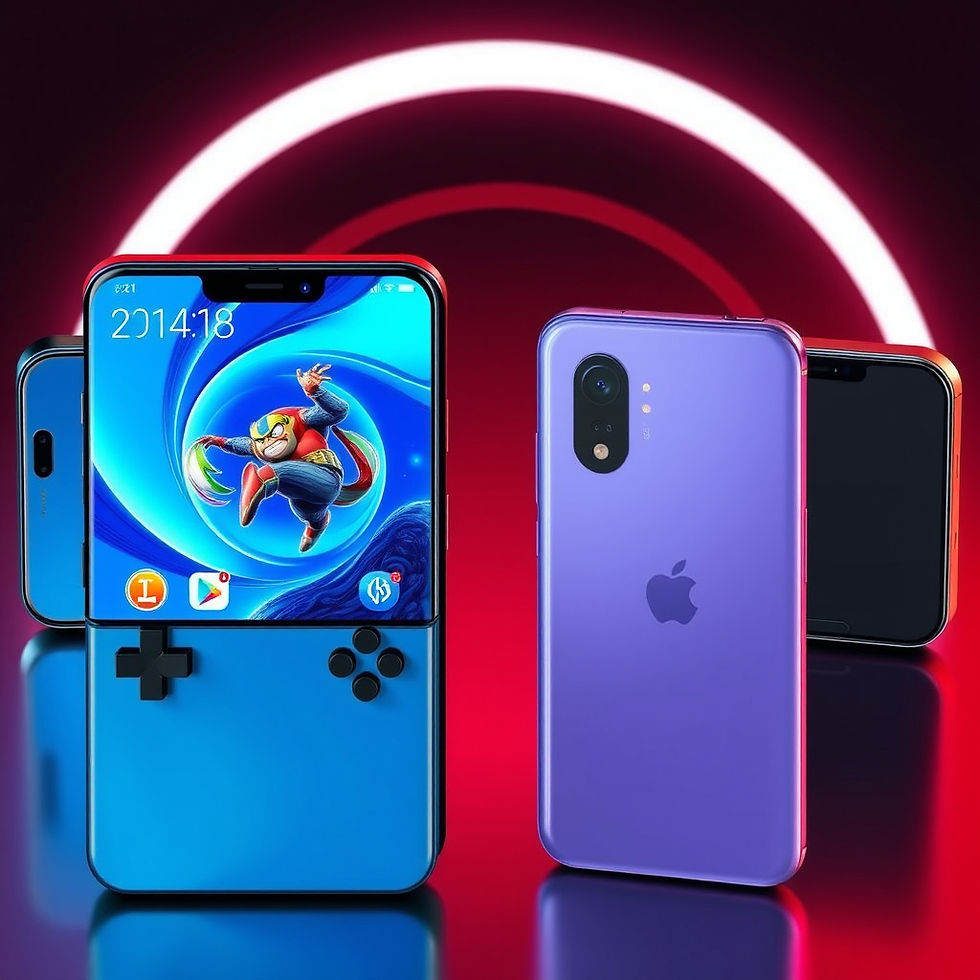


Comments